Changelog

Follow new updates and improvements to Transcript LOL.

January 31st, 2026

New

Improved

Fixed

We are starting the new year in style with some really exciting updates for you!

Mobile App Improvements

You asked and we delivered. I made significant improvements to our mobile app to make it truly useful for using on the go!

Full Content Sync

The mobile app now provides access to all your web content, not just recordings made on your device.

Browse your entire transcription library, access transcripts from any source, and manage your work from anywhere.

Background Recording

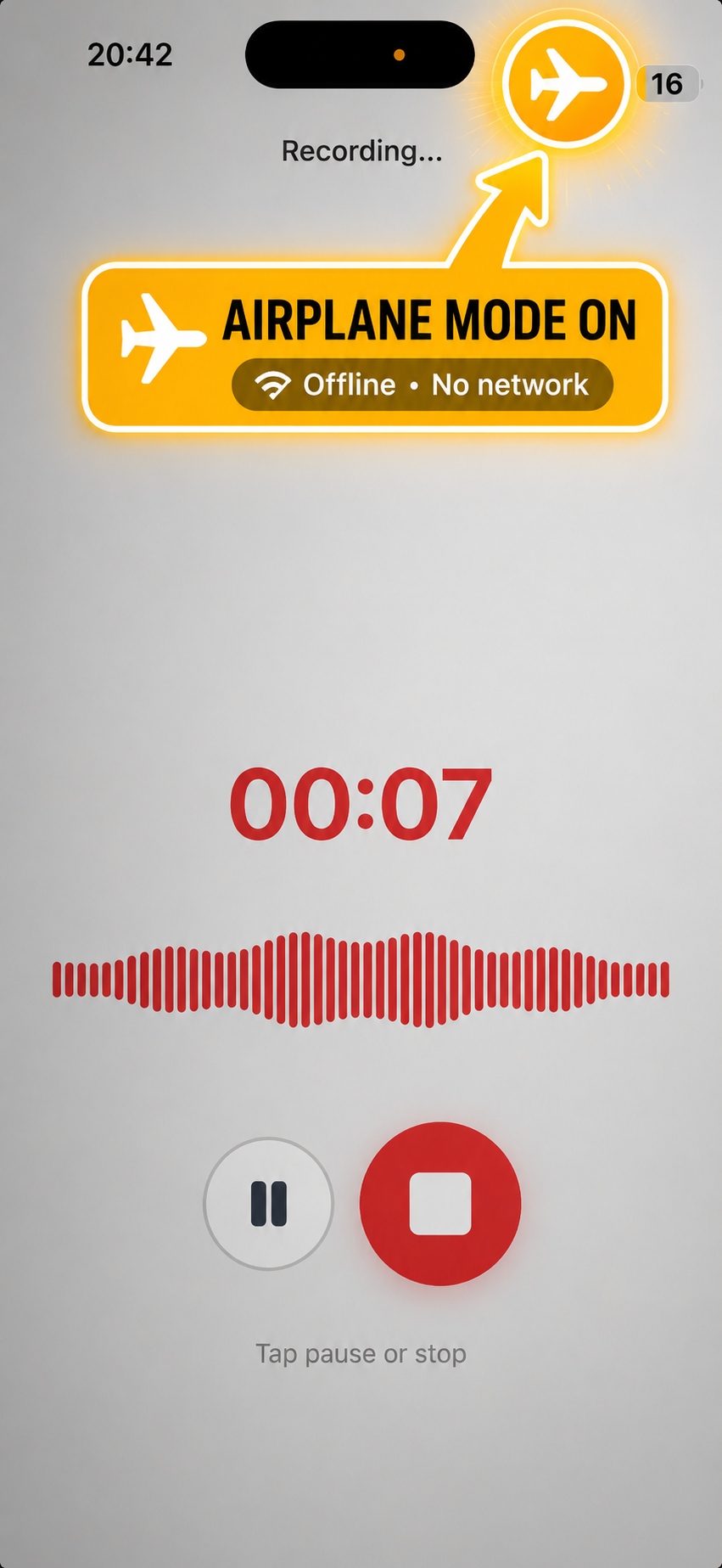
Record audio seamlessly in the background on both iOS and Android devices. You can now start a recording and switch to other apps or lock your screen without interrupting capture.

Other improvements

The app also now supports over-the-air updates, so you'll automatically receive improvements without needing to visit the app store.

N8N & Make Integrations

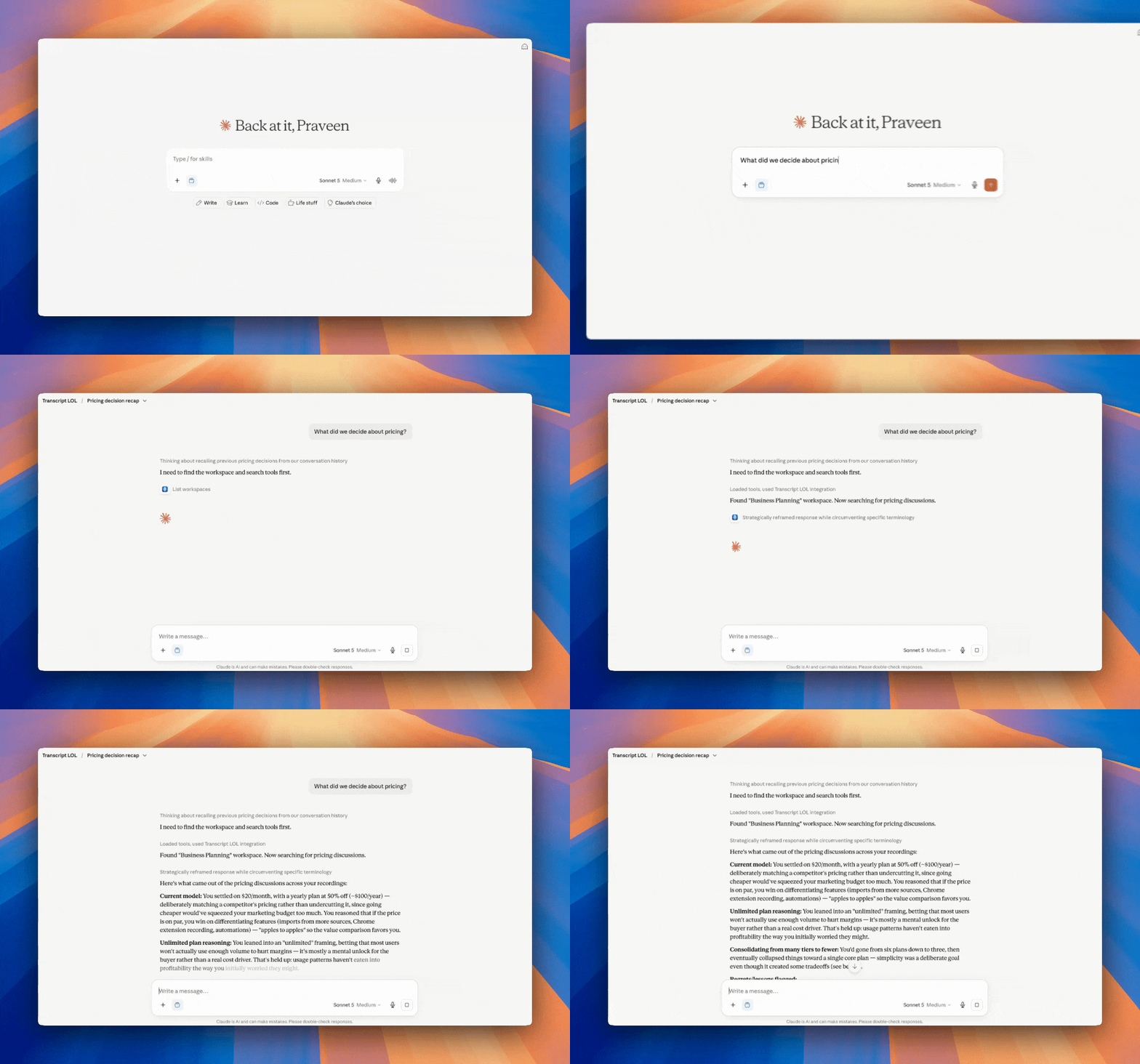
Connect Transcript LOL to your automation workflows with native n8n and Make (Integromat) integrations.

Both integrations includes OAuth2 authentication for secure, hassle-free connections. Build powerful workflows that automatically transcribe content when triggered by other events in your tech stack.

Status Dashboard

I added most of our critical components to track in our health checking system and created a comprehensive status tracker page. Check it out here.

Now you don’t have to take our word for it. You can verify the health of our systems at anytime.

AI Generation Reliability Improvements

We made significant improvements to our ai content generation — summaries, chatbot responses and custom prompts.

Enhanced AI Chat Experience

The chatbot now auto-resumes streaming if you reload the page mid-generation, so you never lose progress. We've moved processing to background jobs for significantly improved reliability while maintaining real-time streaming. The model picker has also moved closer to the text box for quicker access.

Improved AI Insights Generation

Insights generation now runs in the background with major reliability improvements. You'll see a loader while processing, and the AI model selector has moved to a cleaner popover dialog for easier switching between models.

Other Improvements

We also made countless other improvements, including but not limited to

Smarter Integration Reliability

Integrations now automatically pause after consecutive failures, protecting your account balance and preventing repeated errors. You can view exactly why an integration was paused via a helpful tooltip, manually re-enable it when ready, and force-sync individual RSS feed items directly from the integrations page.

YouTube Downloader Redesign

The YouTube downloader UI has been completely redesigned to show download links without scrolling. File sizes are now displayed upfront so you know exactly what you're downloading before you start.

Easier Invoice Access

Access your invoices directly without the extra login step to the Stripe portal. View and download your billing history right from your account.

December 21st, 2025

New

Improved

Fixed

First off—Merry Christmas and Happy New Year! 🎄 I hope you're enjoying the holiday season with family and friends. Thank you for being part of the Transcript LOL journey this year. Your feedback, feature requests, and support have shaped everything I've built, and I'm excited for what's coming in 2026!

Now, onto the updates—because the holiday season hasn't slowed things down. If anything, it's been one of the biggest months yet. The most requested feature is finally here, along with major improvements to speaker detection and plenty more.


Mobile Apps Are Here

After months of requests, Transcript LOL now has native mobile apps for iOS and Android. This was the #1 most requested feature on the feature board, and I'm thrilled to finally ship it.

Record directly from your phone, browse your transcript library, and view recordings on the go. The apps include all 62 supported languages, dedicated recording screens with transcription options, and full speaker detection settings.

This is the first release, so I'd love your feedback on what to improve next. There's plenty more planned, but your input will shape what gets prioritised.

[Download on the App Store →]

[Download on Google Play →]


Significantly Improved Speaker Detection

The second most requested improvement was better speaker detection—and I've made major progress here.

You should already notice a difference if you've transcribed anything in the last couple of days. Transcript LOL is now on par with state-of-the-art speaker diarization, matching or beating every other transcription app I've tested.

Combined with transcription accuracy and pricing, Transcript LOL annual plan is looking like a steal! There's still room for improvement and I'm continuing to work on it, but the gap has closed dramatically.


Transcript Search

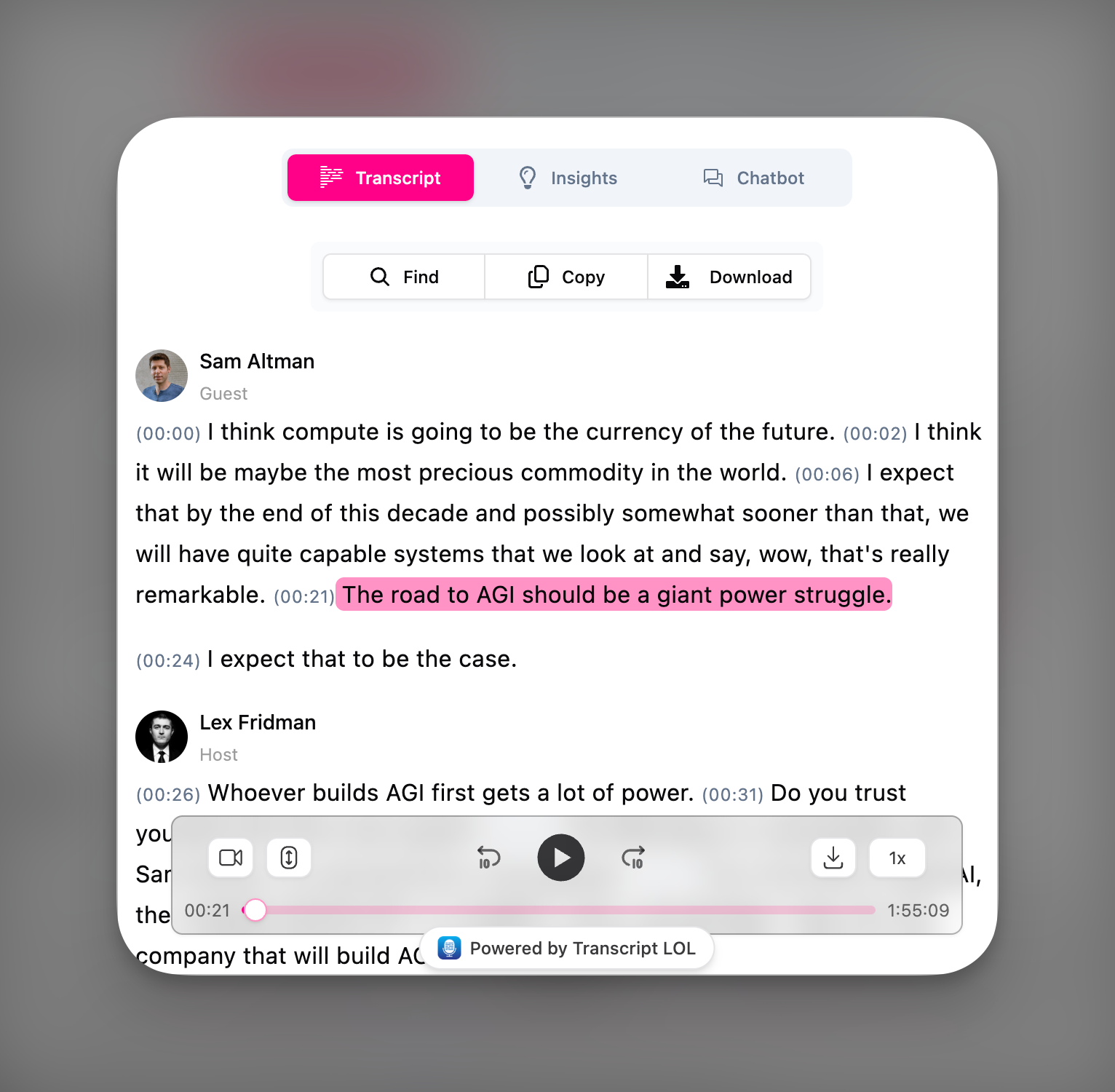
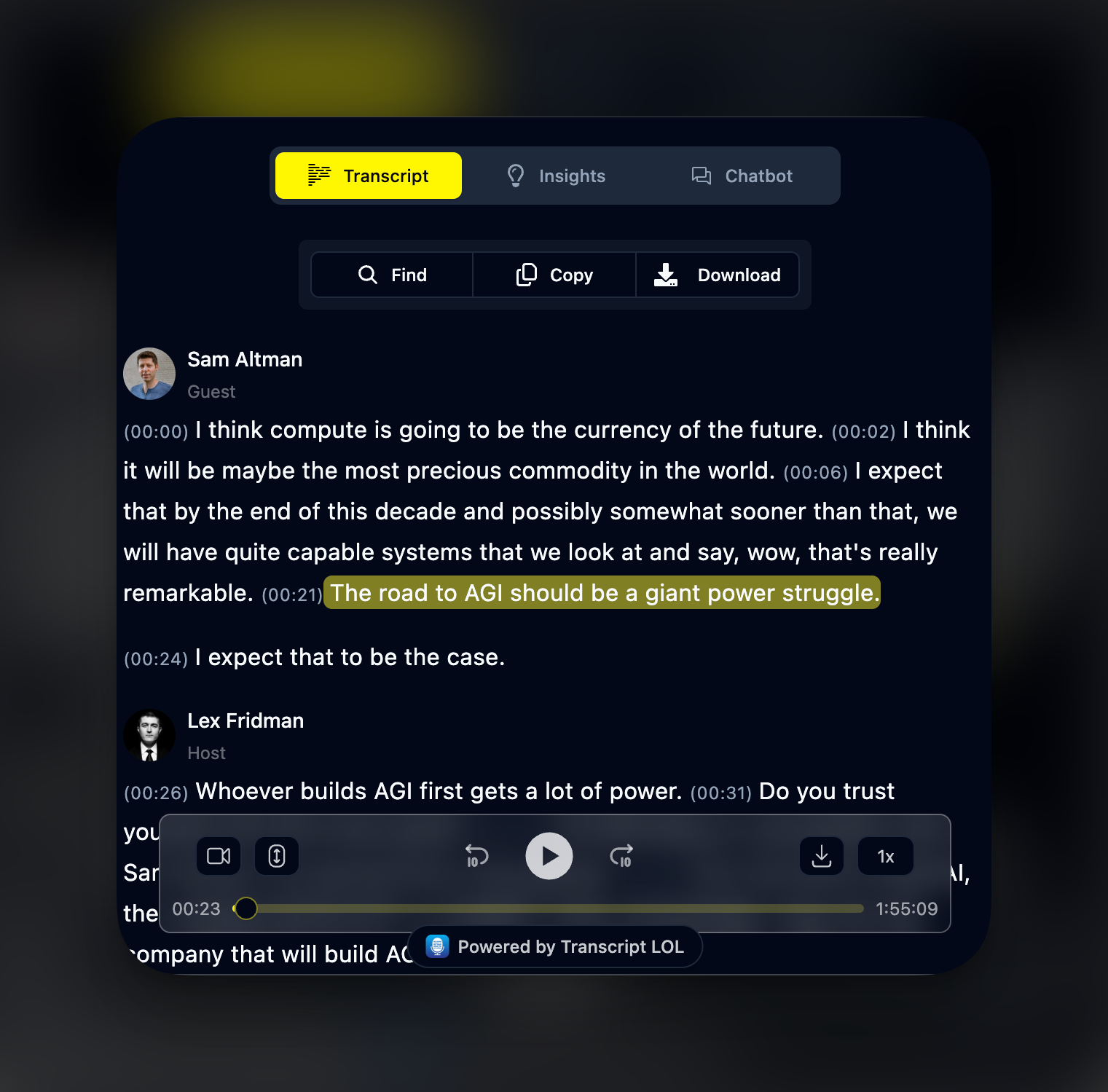
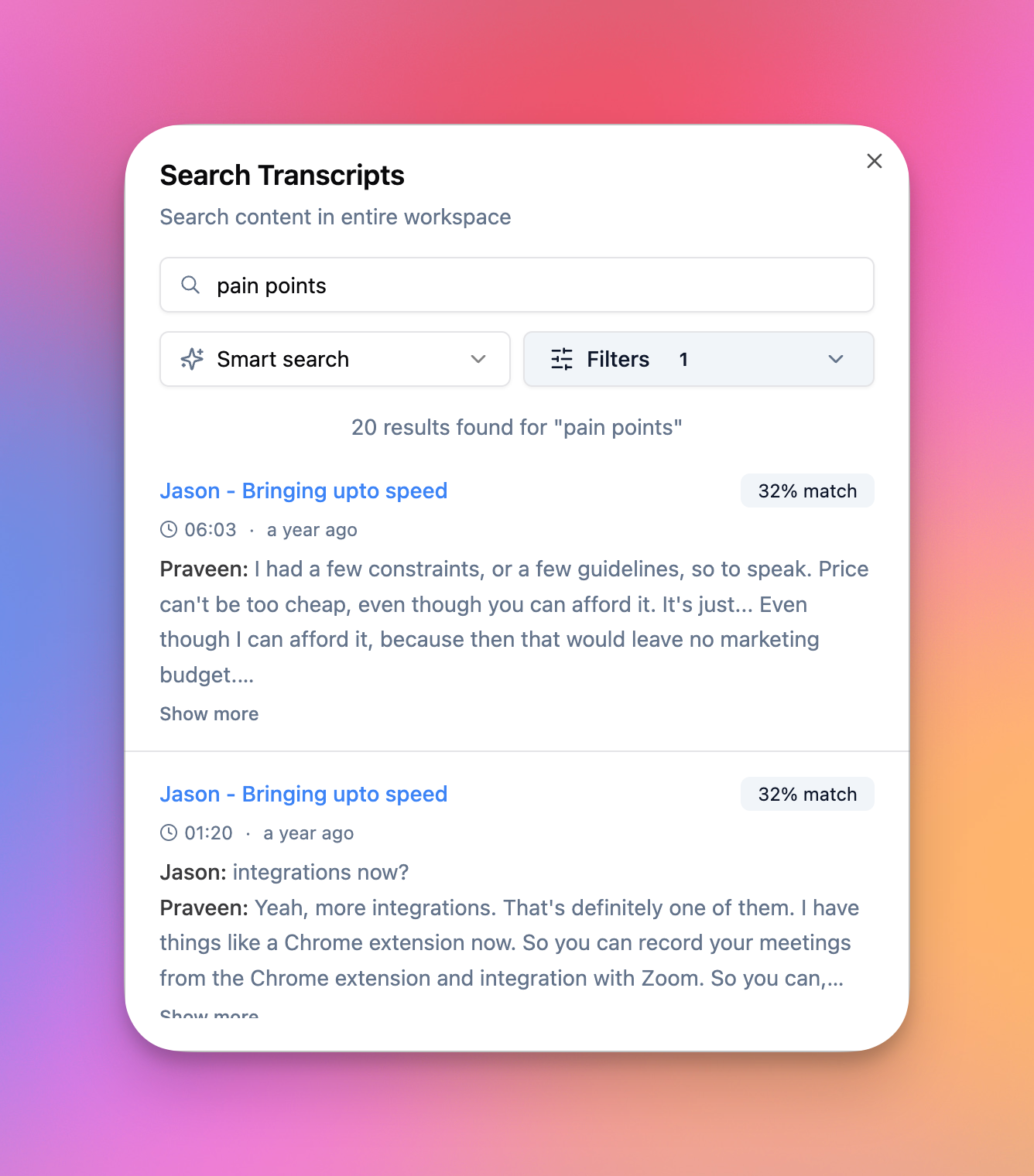
A new Find widget helps you search within transcripts faster and more intuitively than the default browser find feature. Hit CMD+F (or CTRL+F on Windows) to open it.

The search highlights matches throughout your transcript and lets you jump between them quickly—much smoother than wrestling with your browser's built-in search.


RSS Feed Integration

You can now add RSS feed URLs in your integrations to auto-import new podcast episodes as they're published. Perfect for podcasters who want every episode transcribed automatically, or researchers tracking specific shows.

Pair this with YouTube auto-imports and you've got a fully automated transcription pipeline for all your content sources.

➡️ Try in integrations page


New AI Models

I've added support for the latest models:

  • Gemini 3.0 models

  • Grok 4 models

  • GPT-5 models

  • Claude 4.5 models

There's also a new “auto-select” option that picks the best available model and automatically falls back if one fails—reducing errors and keeping your ai responses running smoothly.


Many Other Improvements

Notes are now Reports I've renamed "Notes" to "Reports" to better reflect what they do—transforming your recordings into structured documents. Same powerful feature, clearer name.

Quality of life

  • Copy insight button now preserves rich text formatting

  • More media playback speed options

  • Segment timestamps shown by default

  • Sticky toolbar in the report template editor

  • Option to retry recordings that failed due to insufficient balance

Bug fixes

  • Fixed issues with certain reports rendering as empty

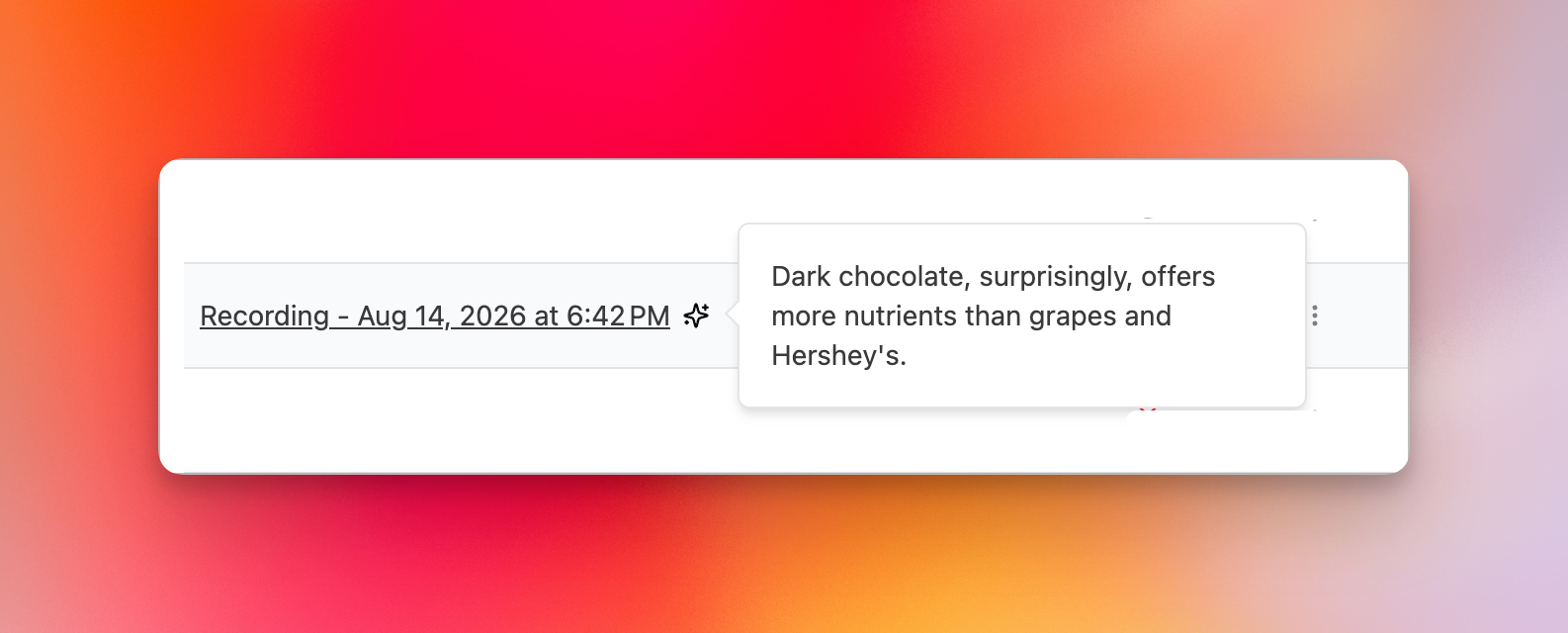
  • Fixed title flickering on the recordings list

  • Fixed partial YouTube download issues

  • Resolved login errors from a recent update

  • Various mobile view styling fixes


That's everything for December. The mobile apps are a big milestone, and I'm keen to hear what you think. Drop feedback in the app, on the feature board, or reach out directly—I read every message.

Here's to a fantastic 2025! 🥂

November 27th, 2025

New

Improved

Fixed

This month brings some major new capabilities: watch YouTube channels or playlists and automatically import new videos, bulk url importer tool for up to 100 urls at a time, a fully localised dashboard in five languages, three new video downloaders, and a redesigned import experience. Let's dive in.


Bulk Import — up to 100 URLs

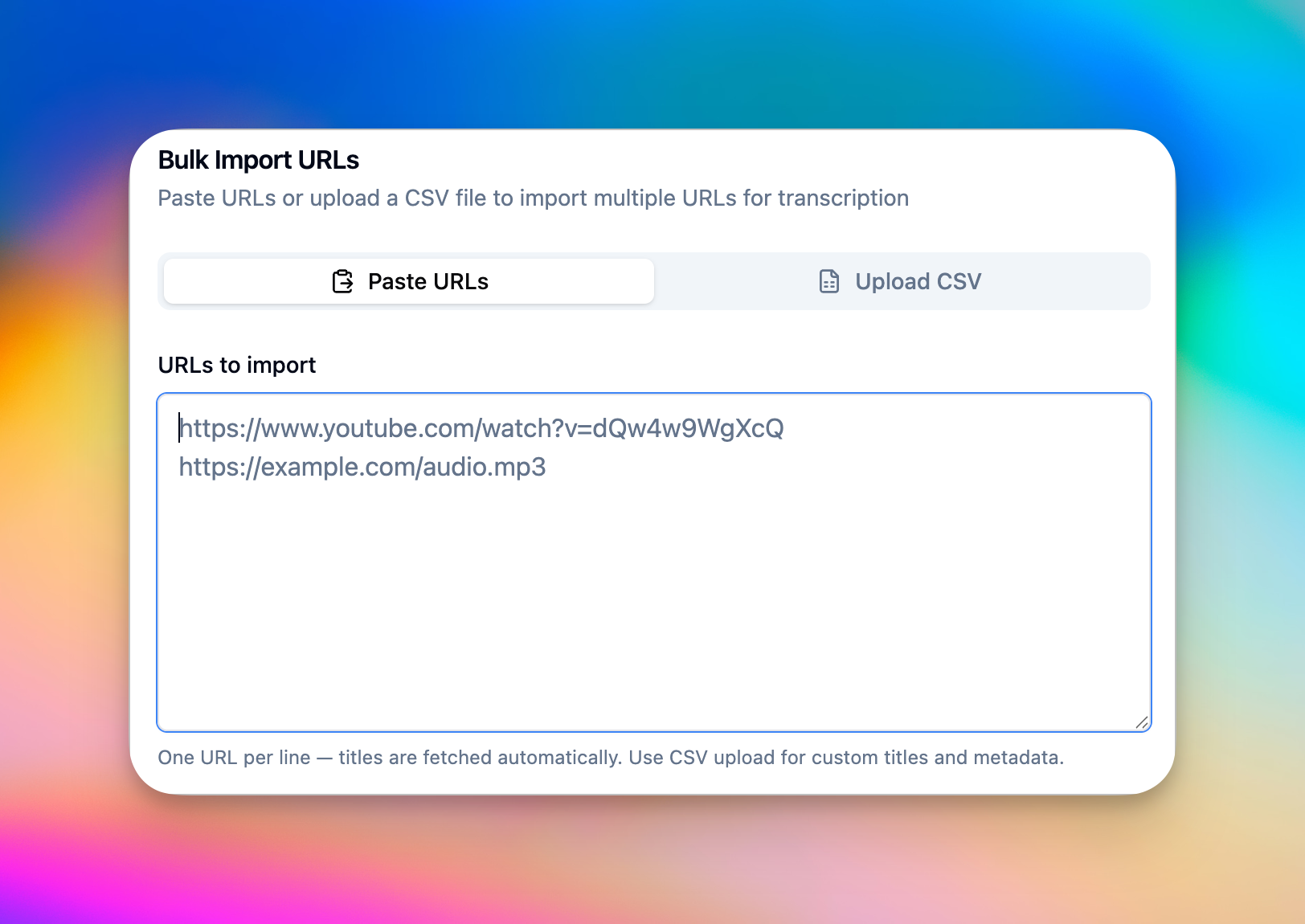
You can now bulk import up to 100 urls at a time. Along with custom metadata specific to each url.

The goal is to make it fast and easy to import large catalogues of content and transcribe them quickly.

Bulk Imports using this tool are all charged as automated-transcriptions and billed at our standard rates of $0.25 per hour.

You can access this from the last tab of the import interface in your workspace.

YouTube Auto-Imports

You can now connect your YouTube channels or playlists and have new videos automatically transcribed as they're published. Set it once and forget it—Transcript LOL handles the rest.

The integration shows you when each channel was last synced and when the next sync is scheduled, so you always know what's happening. You can also trigger a force sync anytime you need immediate results.

You can monitor specific types of videos — import only shorts, only uploaded videos or only live streams in a channel or any playlist on YouTube.

To keep the system healthy for everyone, there's a limit on how many channels each account can monitor.

Monitor YouTube Channels in Integrations


Dashboard Now in 5 Languages

The entire dashboard is now available in Spanish, Portuguese, German, and Italian alongside English. Every button, menu, settings page, and dialog has been translated—from billing and team management to the transcript editor and keyboard shortcuts.

A new language switcher lets you change your interface language instantly, and your preference is remembered across sessions.


TikTok, Instagram & Facebook Downloaders

Building on the success of our YouTube Downloader last month, we've added three more free tools:

TikTok Downloader — Paste a link, download without watermarks. Videos auto-open in a new tab for easy saving.

Instagram Downloader — Works with posts and reels. Includes handy save instructions since Instagram makes downloading tricky.

Facebook Downloader — Simple video downloads from public Facebook posts.

Same philosophy as our YouTube tool: no ads, no signups, no waiting.

Try the Free Tools


Redesigned Import Interface

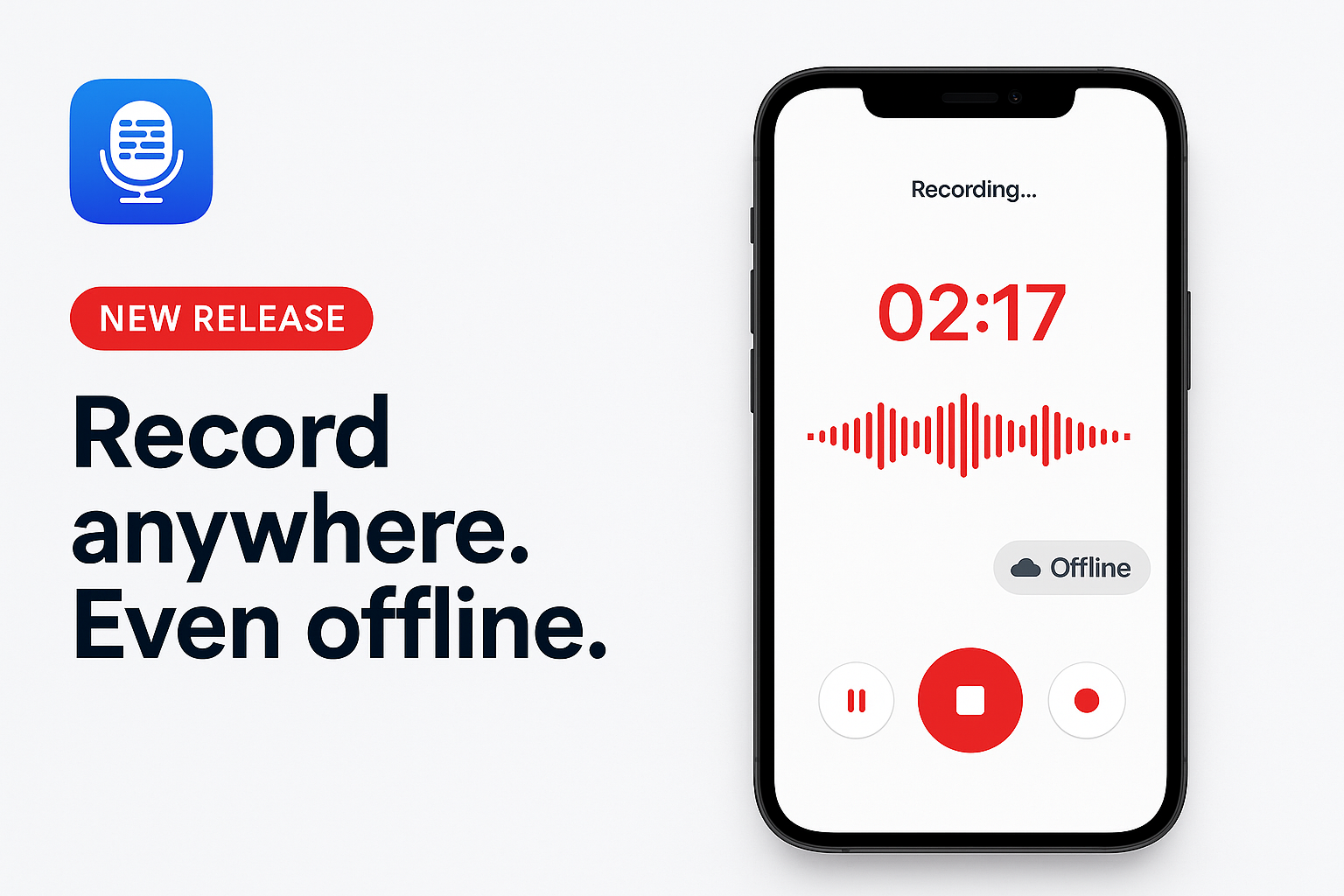
The import experience has been completely rebuilt with a clean tabbed layout. Audio recording now has a polished new UI with smooth, clean visualisation during active recording.

The interface remembers which tab you used last, so you can jump straight back to your preferred import method.


Notes Improvements

Two quality-of-life additions to Notes:

One-click copy — Hover over any rendered note and copy it instantly.

PDF download — Export your notes as PDF documents with a single click.

We've also improved how the editor handles state after rendering, and you'll now see clear error messages if something goes wrong so you can try again.

Coming soon: we're renaming "Notes" to "Reports" to better reflect what they actually do—transforming your recordings into structured documents.


Many Other Improvements

  • Keep filler words like "umm" and "uhh" in your transcriptions when you need verbatim accuracy (contact support to enable this).

  • Direct Dropbox web URLs now work—no need to create shared links

  • Webhook support for failed transcriptions, including a new Zapier trigger

  • Sorting options in the recordings list: by title, creation date, or status

Check the full list of changes below:

Features

  • Add animated single-layout import button with auto-animate

  • Add annual billing utility and integrate compact upsell in sidebar

  • Add annual upsell component for monthly subscribers

  • Add audio recording tab to import interface

  • Add auto-download with save instructions for Instagram

  • Add comprehensive translation files for dashboard localization

  • Add confirmation dialog to annual billing switch

  • Add custom UppyFileList component with state management

  • Add download attribute and right-click save instructions

  • Add dual authentication buttons to navbar

  • Add dynamic locale support for Uppy

  • Add dynamic OG image generation API endpoint

  • Add Facebook video downloader

  • Add Free Tools to navigation menu and update footer title

  • Add image proxy endpoint to bypass Instagram CORS

  • Add Instagram downloader with long-tail pages

  • Add Italian and Portuguese translations

  • Add next-intl localization for dashboard

  • Add Next.js native robots.txt generation

  • Add Portuguese and Italian language support

  • Add socket timeout option to yt-dlp downloader

  • Add TikTok downloader with long-tail pages

  • Add TikTok, Facebook, and Instagram downloaders to footer

  • Add TRANSCRIPT_FAILED webhook to import and media jobs

  • Add TRANSCRIPT_FAILED webhook type

  • Add translation for Security settings title

  • Add translations for bulk actions and export dialog

  • Add translations for keyboard shortcuts dialog

  • Add translations for logout button

  • Add translations for notes feature help component

  • Add translations for pricing table component

  • Add translations for Refer & Earn page

  • Add translations for shared workspace notice component

  • Add translations for usage logs page

  • Add translations for usage logs table and charts

  • Add translations for workspace pages and workspace list

  • Added language switcher to change interface language of dashboard

  • Auto-discover Prismic routes from prismicRoutes config

  • Auto-discover static routes from filesystem

  • Auto-open TikTok downloads in new tab

  • Automate sitemap generation with dynamic Prismic content

  • Backend support to generate transcriptions with filler words kept in - like umm, uhh etc.

  • Bulk import from urls feature - upload a list of urls

  • Bulk import jobs list and status of each item

  • Chatbot support for all users

  • Copy option for notes that are rendered

  • Download notes in pdf format

  • Hide locale prefix for default locale (English)

  • Higher limits for max pending jobs per user and user level override flag support

  • Implement bulk URL imports functionality

  • Implement translations for 2FA security settings

  • Implement translations for account settings

  • Implement translations for account settings tabs

  • Implement translations for billing pages and components

  • Implement translations for breadcrumbs navigation

  • Implement translations for folder management, search, and import features

  • Implement translations for import recording interface

  • Implement translations for integrations page

  • Implement translations for notes tab and editor

  • Implement translations for Prompts feature and API integration

  • Implement translations for rating widgets, ICP survey, and Move Space button

  • Implement translations for recording page tabs

  • Implement translations for recording settings

  • Implement translations for recording settings, chat tab, and insights tab

  • Implement translations for security settings

  • Implement translations for team management page

  • Implement translations for transcript menu buttons and controls

  • Implement translations for translations tab

  • Implement translations for workspace creation and recordings list

  • Implement URL-based locale routing with next-intl

  • Implement YouTube integration watch resources management

  • Improve import button animation with rotating plus icon

  • Improve tab UI with centering and active state styling

  • Localised the cloud upload ui

  • Localize annual upsell widgets in 5 languages

  • Localize audio recording tab

  • Make title optional and add metadata support to bulk imports

  • Native audio recording support and styles improvement for the widget

  • New bulk importer tool made public - access from the import ui last tab

  • Notify user when disabiling youtube auto imports for any reason

  • Option to delete entire paragraph with 1-click in editing mode

  • Option to dismiss rating widgets and user survey

  • Option to do a force sync of a youtube channel or playlist

  • Position stop button in center of audio bars

  • Redesign navigation bar to full-width layout with centered menu

  • Refactor ImportRecordings to use tabbed interface

  • Remember last selected import tab

  • Remove folder selection option from remote source picker

  • Reorder navigation menu and add responsive Free tools hiding

  • Set a limit to number of channels a user can watch to keep systems healthy for everyone

  • Support direct dropbox web urls for imports - no need for shared urls anymore

  • Support for sorting by title, status, and createdAt in recordings list api

  • Support for sorting recordings by title, creation date or status

  • Support for TRANSCRIPT_FAILED webhook and Zapier trigger

  • Support to keep "umm" "uhh" etc. filler words in the transcription

  • Upgrade Uppy to v5 with headless UI implementation

  • YouTube integration made public

  • YouTube integration to auto import from channels or playlists

Bug Fixes

  • Add canonical tags and hreflang for all locale pages

  • Add locale-aware sitemap generation

  • Add max dimensions to Instagram thumbnail

  • Add metadataBase to root layout to resolve Next.js build warning

  • Add referrer policy to fix Instagram thumbnail loading

  • Add type assertion for locale validation in layout

  • Add type assertion for locale validation in request config

  • Add type suppression for redirect in read page

  • Allow webhooks and OAuth endpoints to bypass authentication

  • Attempt to fix errors in login page for some users

  • Bug fix in some workspace deletions

  • Bug fix in switching to annual when there's a pending seat change

  • Bug fix in youtube import integration using the wrong workspace

  • Bug fix with duplicate language label in create workspace form

  • Bug fix with some youtube channels failing to sync within expected period

  • Bug fixes with notes editor state not refreshing properly after a render is complete

  • Change sidebar to collapse completely instead of showing icons

  • Correct redirect imports for external vs internal URLs

  • Create truly symmetric audio bars from center

  • Don't generate locale variants for Prismic content

  • Enable locale detection to persist language preference

  • Exclude all API routes from first matcher to prevent 404s

  • Fix 404 error after a payment success redirect screen

  • Fix audio bars animation and simplify recording UI

  • Fix audio recording tab bugs

  • Fix edge case where abandoned subscription payments for LTD users causes delayed LTD topups

  • Fix instagram download failures

  • Fix workspace translations namespace and add v1Link translations

  • Fixes for tiktok url imports

  • Improve error handling in workspace settings update

  • Localize Cancel button in annual upsell dialog

  • Localize link tab description text

  • Make /share and /embed paths public (no auth required)

  • Make audio bars animation smooth and responsive

  • Merge duplicate recordings namespace in translation files

  • Minor fixes for url downloader detections

  • Mirror audio bars from center and improve smoothness

  • Move stop button below audio visualization bars

  • Pass locale explicitly to redirect function

  • Prevent auto-start recording on initial load

  • Prevent double locale prefix in auth redirects

  • Properly scope Uppy hooks within UppyContextProvider

  • Remove duplicate locale prefix in post-login redirects

  • Remove invalid /api/v1/middleware.ts and fix CORS handling

  • Remove login requirement for /admin/imitate/ route

  • Return transcript paragraphs as separate editor nodes

  • Update all app directory imports to include [locale] segment

  • Update all navigation imports to use locale-aware utilities

  • Update all redirect calls for locale-aware routing

  • Update publicLinkLabel translations

  • Wrap ImportRecordings with UppyContextProvider for hooks

Improvements

  • Add note on bulk imports billing as automated transcriptions

  • Avoid spaces at start and end of folder names

  • Improve upgrade messaging of the youtube integration

  • Improved styling on online links tab

  • Improved tiktok downloads

  • Improved ui for annual plan upsell banners

  • Improved ui of the youtube integration

  • Locale support for the cloud upload interface

  • Locale support for the cloud upload interface

  • Minor styling improvements for download button options

  • More frequent checking for youtube channels

  • Raise error if source url set and source set to FILE_UPLOAD

  • Remove less accurate label for detect automatically option

  • Replace sparkles icon with discount percent icon

  • Show currently selected locale without delay on app open

  • Show failures in rendering notes to user so they can try again

  • Show last sync time and next sync time for youtube monitoring

  • Update URL input translations to match English locale

October 31st, 2025

New

Improved

Fixed

I thought first month with a newborn would slow me down! Not at all, in fact, the opposite!

It energised me to build a new and powerful feature from the ground up, based entirely on user feedback. And lots of other features and improvements.

Here’s everything I shipped to Transcript LOL this month:

Notes Feature

Using Notes template engine, you can transform your recordings into perfectly formatted documents in the exact format you want!

Here’s a quick demo:

Say goodbye to wrestling with custom prompts that deliver half-baked results. Notes breaks down complex formatting tasks into manageable pieces, ensuring every instruction is followed to perfection.

Whether you need meeting minutes, research reports, or client summaries, simply create your template once with our intuitive editor, then apply it to any recording in seconds. Mix and match dynamic elements like transcripts, translations, AI-generated summaries, and custom metadata fields to build exactly the document structure you need.

I worked with a few of our most enthusiastic users to make sure Notes really meets their exact requirements. I’m excited to hear you feedback!

Read more about how this works here — Introduction To Notes

Free YouTube Downloader

If you ever need to download a YouTube video, look no further. Our Free YouTube Downloader is simple & straightforward:

  1. Paste a Link

  2. Download It — no waiting

  3. There’s no step 3

Checkout our YouTube Downloader Here

Just how YouTube downloaders should be. No annoying quirks you find in all other downloaders.

  • No ads

  • No signups

  • No waiting

Many Other Improvements

There are a lot of other new features, bug fixes and improvements. Here are some more highlights.

  • Full language list in our Zapier integration

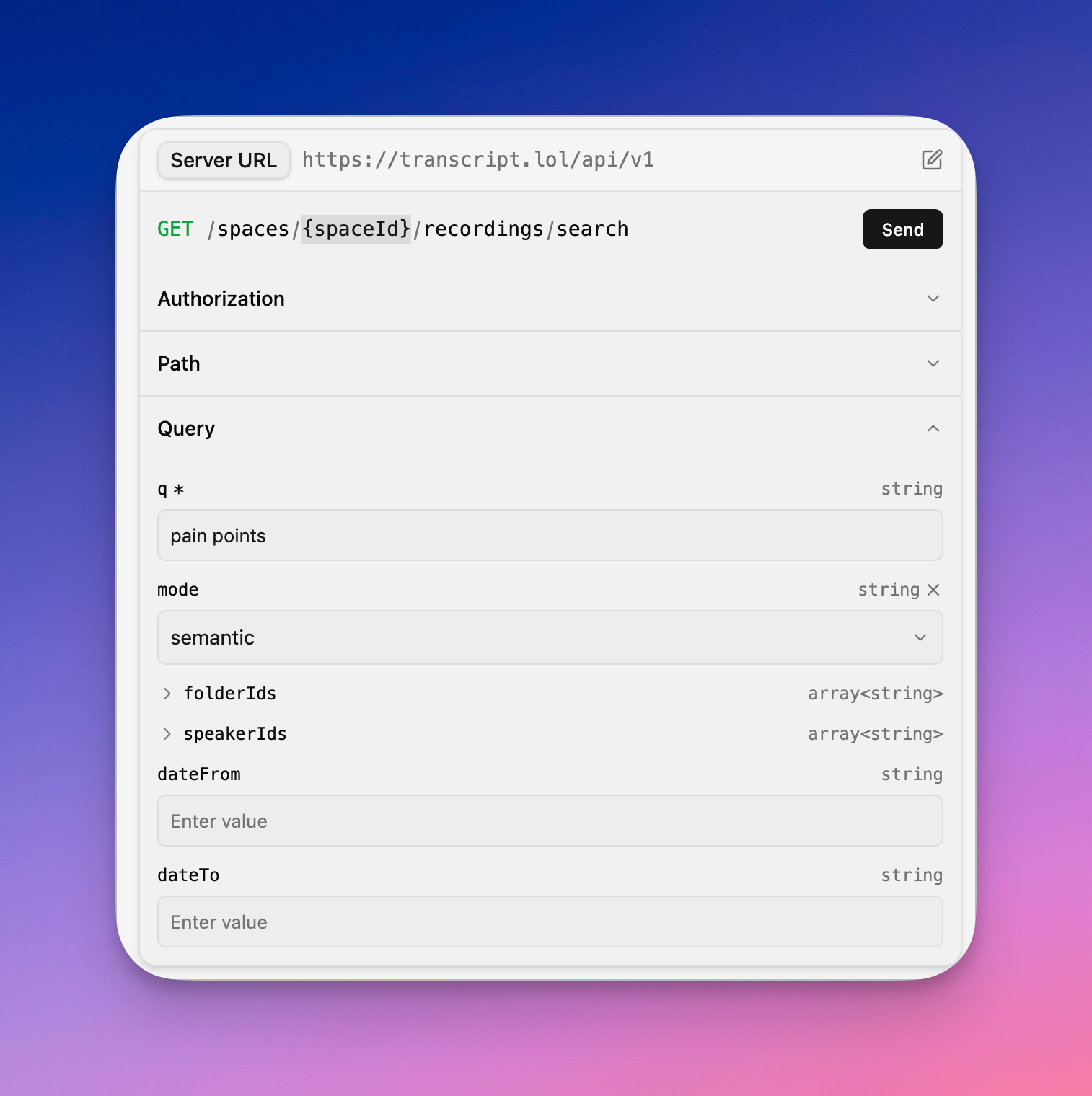
  • API access for translations

  • Added support for MinMax M2 model

  • Call Rail Integration

  • Superchat Link Downloads support

Check the full list below:

Features

  • Added a free youtube downloader tool

  • Added a help notice to explain notes feature

  • Added all supported languages to Zapier integration

  • Added Callrail integration

  • Added created at time support in notes metadata field

  • Added MinMax M2 to ai models

  • Added option to run custom prompt on metadata fields

  • Added support for markdown of prompts to rich text in notes

  • Added support for tables in notes

  • Added webhook for translations

  • All ai models available for all users + reduced the cost of model use - now reflects more closely to ai costs

  • API endpoint for creating translations

  • API support to list translations and get translation content

  • API support to request translations while creating a recording

  • Custom prompt based formatting for transcript or translation in notes

  • Document template editor with support for dynamic content like prompts and transcript in custom formats

  • Feedback collection for translations

  • Improved support for accessing recording metadata on zapier

  • Improved support for importing media from urls

  • Option to request translations while creating transcript

  • Public release of the Notes feature

  • Select ai model to use for custom formatting in notes

  • Support for built-in fields and custom fields in notes

  • Support for custom prompts on metadata in the notes

  • Support for downloading Superchat cdn urls

  • Support for start and end time offsets in notes rendering

  • Support for translations in document templates

  • Translations available to everyone

Bug Fixes

  • Attempting another fix for login page errors occasionally

  • Bug fix for email notifications with long subject

  • Bug fix in translations generation

  • Bug fix in usage logs table

  • Bug fix with edit template dialog causing unresponsive page upon dismiss

  • Bug fix with empty translations when creating a recording

  • Bug fixes in template creation and updates

  • Fault-tolerance in auto-scaler from external services health

  • Fix for CSP errors in login

  • Fix for live youtube videos

  • Minor bug fix in en-GB and other variants transcription

  • Move rating widget out of the way

  • Handle WhatsApp Rate limiting errors better to avoid failures

Improvements

  • Auto retry when youtube downloads fail once

  • Improve stability of custom vocabulary handling

  • Improved localisation of en locales

  • Improved notes toolbar styling

  • Improved webhook payload data - includes actual content for insights and required ids for transcripts and translations

September 30th, 2025

New

Improved

Fixed

This is the biggest update ever — obviously I’m biased!

Our daughter Lila arrived 3 weeks early — 4 limbs, 10 fingers & all healthy ❤️ She’s very calm, tiny (like all newborns, I suppose), and incredibly cute!

She also enjoys working with her Dad — until she can speak for herself 😉

Translations

Our translations feature is almost ready for public release — in the coming weeks. I will send out invites this week to all the users who requested early access.

13 New Languages

We have added support for 13 new languages — both for transcriptions and translations. We will continue to iterate our models for these languages to iron out any bugs. Here’s the full list we added — Arabic, Persian, Hebrew, Urdu, Malayalam, Norwegian Nynorsk, Slovenian, Croatian, Basque, Galician, Georgian, Filipino, Telugu, Kannada.

Many other improvements

Also made many other improvements such as:

  • Faster transcriptions for smaller files

  • New Deepseek model for insights

  • One-click downloads

  • Spending & Usage graphs

You can see the full list of features and improvement below.

Features

  • Added support for 13 new languages - Persian, Hebrew, Urdu, Malayalam, Norwegian Nynorsk, Slovenian, Croatian, Basque, Galician, Georgian, Filipino, Telugu, Kannada

  • Added support for linking to resources

  • Api endpoint to list folders

  • Auto recovery for occasional errors for short jobs

  • Charts for usage and spend

  • Delete feature for translations

  • Faster transcriptions for smaller files

  • Improvements to youtube import reliability

  • Made secure push service for responsive page statuses

  • New DeepSeek model for chat and insights

  • Optimisations to speed up processing for smaller files

  • Option to enable or disable auto-generation of prompts from the insights page

  • Stats of your affiliate account within the app

  • Support for filter by folders in search

  • Support for multiple lines in subtitle formats

  • Support for recents from within folders and across all workspaces in Custom GPT

  • Support for vimeo public download links

  • Unified one-click download feature for transcripts and translations

Bug Fixes

  • Bug fixes in refer & earn page

  • Fix edge case for LTD topups when their subscription ends

  • Fix for login errors

Improvements

  • Auto disable zoom imports when users account balance is zero

  • Better styling for buttons in import screen

  • Fallback mechanisms to improve youtube downloads

  • Fix and Improve import interface for Google Drive by moving it inline

  • Improve messaging in whatsapp integration

  • Improve the layout of recording list to better show the in-line import ui

  • Improved error handling for telegram bot & large files

  • Improved reliability for facebook and instagram imports

  • List recordings endpoint lists from all folders by default

  • Minimal view based on count in the current workspace

  • Mobile friendly layout for list recordings

  • Mobile layout for insights

  • Show loaders in some pages to make more responsive when loading

August 25th, 2025

New

Improved

Fixed

I’ve been working tirelessly to close the gaps in making Transcript LOL the one-stop Transcription hub. From custom GPT, new integrations, enhanced security and seamless file imports, I’m very excited to share this update with you!

Custom GPT Integration

Take your transcript workflow to the next level with our Custom GPT now available on the OpenAI GPTs store. This specialized AI assistant is trained specifically for Transcript LOL, offering tailored suggestions, insights, and capabilities that understand the unique context of your transcription needs. Access it directly from the OpenAI platform and run your transcript through any OpenAI model you like.

Click here to access Transcript LOL’s custom GPT

Mind Map and Diagrams Support

This is currently under testing and will be generally available soon with new prompts!

Visualize your ideas like never before with our new diagram rendering capabilities. AI outputs can now generate mindmaps, graphs, flowcharts, and other visual representations directly within your transcripts. This feature helps you organize complex information, brainstorm ideas, and create visual summaries that make your content more engaging and easier to understand at a glance.

Telegram Bot Integration

Now you can send audio files, voice messages through Telegram and receive transcriptions right in your telegram app.

Perfect for on-the-go professionals who need quick transcriptions without switching between apps, this integration brings the power of Transcript LOL to your favorite messaging platform.

Auto Imports for Google Drive, Dropbox and Box

Streamline your workflow with automatic file imports from your favorite cloud storage services. Simply connect your Google Drive, Dropbox, or Box account, and Transcript LOL will automatically detect and import eligible files for transcription. Set it up once and let the system handle the rest – no more manual uploads or switching between platforms.

Head over to account integrations page to get started. Also checkout docs of each integration for more details.

Box Deep Integration

You can now send files for transcription directly from within your Box app

Two-Factor Authentication (2FA)

Protect your account with an extra layer of security through authenticator app support.

Enable 2FA in your account settings to require a time-based verification code alongside your password when logging in. This industry-standard security feature ensures your transcripts and data remain secure, giving you peace of mind while maintaining easy access to your account.

Enhanced Zapier Integration

Our upgraded Zapier integration now features one-click authentication and improved reliability, making it easier than ever to connect Transcript LOL with thousands of other apps.

The new update of the integration also includes additional features to support easier integrations with certain workflows that wasn’t possible before!

Full Updates

Checkout the complete list of changes below:

Features

  • Account setting to bypass fairuse rate limits of unlimited plans

  • Box native web integration support added

  • Custom GPT for Transcript LOL on OpenAI GPTs store

  • Dropbox integration for auto imports

  • Google Drive auto-import integration docs

  • Migrated to a new rich text viewer that fixes a lot of the rendering errors

  • New version of Zapier integration

  • Option to disable transcript notifications

  • Support for 2FA using authenticator apps

  • Support for diagrams like mindmaps, graphs etc in ai outputs

  • Support for importing private box files using urls

  • Telegram bot for telegram integration

Bug Fixes

  • Auto scroll bugs when generating content or playback tracking

  • Bug fix for recent speaker labels not showing in exported transcript

  • Bug fix in email change functionality

  • Bug fix in file uploading

  • Bug fix to handle line breaks in table rendering

Improvements

  • Better error handling for large files from urls

  • Better theming and images support in rich text renderer

  • Docs and copy of bypass fair use limits setting

  • Improve account settings page layout and grouping

  • Improve google drive link imports reliability

  • Improving stability of YouTube and Instagram downloads

  • One-click authentication for zapier integration

  • Reduce flickering issues for diagrams like mindmaps

  • Rewrote backend of our chatbot for major stability & performance improvements

  • Show topup ui when out of balance & already has a subscription

  • Significant performance improvements to insight generation

August 8th, 2025

New

Improved

Fixed

OpenAI announced GPT-5 less than 5 hours ago! And here I am with another big update for you...

After our Unlimited Transcripts release less than 2 weeks ago, you thought I was out of bangers? I can do this all day, every day — until Transcript LOL is the best tool for transcriptions. Period.

The Model That Works For You

No matter what anyone tells you, one model doesn't fit all! Each recording is different, and so is each insight or chat request you make. Now you can pick the model that best suits your task. You have 8 top models to choose from, and I'll be iterating to bring you even more options.

One of the key backend updates I've been working on these last couple of weeks enables me to give you access to the latest and greatest AI models within hours of their release! We're just getting started! 🚀

Embed Your Transcripts & Media Player

You can now embed the full transcript and media player on your website. Here’s a live example of how an embedded transcript looks — https://pkp.io/blog/embed-transcripts

As always, here’s the full list of changes since the last update:

Features

  • Added Claude Haiku model for ai insights

  • Added gpt 5 for ai insights

  • Added support openai oss model

  • Email notifications when free transcripts are renewed

  • Embed option for transcript and media player

  • Embedding support for transcript and media player

  • New landing page highlighting key new features

  • Pick AI model for insights and chat responses

  • Show topup functionality for LTD users

  • Support for files longer than 10 hours on some user accounts - contact support for access

  • Support for meta llama model

  • Support Grok AI models

  • Workspace setting for default ai insight model and speaker recognition options

Bug Fixes

  • Bug fix for billing type of whatsapp voice notes

  • Bug fix for edge case in chat queries

  • Bug fix for upload failures

  • Bug with account settings not fully clickable

  • Don't show upgrade upsell for ltd users

  • Minor ui bug fix in sidebar collapsed state

Improvements

  • Avoid showing double errors for ratelimited and no balance errors

  • Hide quick insights from transcript page in shared links

  • Hint of hours of transcription from a topup

  • Loading message when chat is waiting for response

  • Revamped account into sidebar for better visibility

  • Show account balances help article tooltip next to allowance info

  • Surface team and integrations options in the sidebar

  • UI improvement for expected recording errors

  • Updated faqs

  • Upgrade UI hints for actions that are upgrade gated

July 27th, 2025

New

Improved

Fixed

🎉 Transcript LOL’s biggest update yet is here! After researching every transcription tool on the market, I'm confident that Transcript LOL now offers unbeatable value and features that leave the competition in the dust.

I've been thinking long and hard about how to provide the most value to you for an unbeatable price. After studying every tool on the market and looking at our current features plus what's on the roadmap, I'm really confident this will be an offer to beat!

This isn't just an update - it's my commitment to making Transcript LOL feel like a steal for what you get. Welcome to the future of effortless transcription! 🚀

🚀 Unlimited Transcripts Plan

Say goodbye to price anxiety! The new Unlimited Plan lets you transcribe as much as you want without worrying about credits, minutes, or complex pricing. Perfect for power users, teams, and anyone who's tired of usage limitations. One simple subscription, unlimited possibilities. Check out full details on Unlimited Plan.

If you have an existing monthly or yearly subscription with us, your account has already been migrated to our Unlimited Plan with the appropriate number of seats as your old plan. Great deal for all our existing users!

🎁 Daily Free Transcripts

Free users now get daily transcripts without needing an active subscription! Use Transcript LOL every day at no cost, and upgrade to Unlimited Plan when you're ready. It's our way of letting you experience the quality before deciding to upgrade. Check out full details on free transcripts.

💰 Dollar-Based Balances

I've completely simplified how Transcript LOL’s account balances work by switching to good old dollars instead of confusing credit or minutes systems! All account balances and spending are now shown in dollars - no more complex conversions between credits, minutes, insight credits, or translation credits. See exactly what you're spending with clear, straightforward pricing, all in USD. Check out how account balances work.

Check out the full list of changes in this release below:

Features

  • Unlimited Transcripts Plan: Migrated to a single paid plan with Unlimited Transcriptions

  • Migrated Old Plans: Migrated all users on old pricing plans to the single new Unlimited Plan

  • Daily Free Transcripts: Now displays remaining free transcripts for the day, helping you track your usage more effectively

Bug Fixes

  • Fixed audio recording option failing due to permission issues

  • Resolved download problems with Zoom meetings containing multiple recordings

  • Fixed media processing failures that incorrectly showed as stuck in progress

  • Fixed saving changes functionality that failed in certain scenarios

  • Fixed billing display issue where smaller charges appeared as free in logs

  • Fixed file selection problems on iPhone and iPad

  • Fixed unexpected crashes on the recordings page

  • Fixed app crashes caused by Google Translate extension conflicts

  • Fixed edge case billing issues for Lifetime Deal users with subscription top-ups

  • Fixed multiple file selection restrictions for Lifetime Deal users

  • Fixed various minor issues in the Chrome extension

Improvements

  • Added direct links to help center for all integrations

  • Chrome extension now defaults to speaker + microphone recording for better capture

  • Enhanced top-up date notifications with "estimate only" disclaimers

  • Improved error messaging and handling for failed save operations

  • Better processing of partially corrupted media files

  • Enhanced autoscaler redundancy to minimize transcription delays

  • Improved Chrome extension UX to prevent accidentally recording from wrong tabs

  • Streamlined file upload experience across all platforms

  • Added detailed charge tracking for AI insights and chatbot interactions

  • Clear pricing differences in Seat Changes that adapts to your billing cycle (monthly/yearly)

July 18th, 2025

New

Improved

Fixed

Our native Zoom integration is now live. Connect once and have all your recorded Zoom meetings auto imported, transcribed and insights like meeting notes or social posts generated.

Head over to your account integration settings to get started!

Full Changelog

We also shipped many other features and fixes to make our core product and chrome extension to make them work smoothly. See the full list below:

Features

  • Added first version of Zoom integration

  • Added native auto import feature for zoom

  • Added new gpu workers on new provider

  • Added new support widget and cleanup side navbar

  • Added support for externalId in create recording api endpoint

  • Added support for Russian and more languages

  • Better handling of multi-channel audio

  • Chrome extension for recording meetings and uploading directly to TLOL

  • Early access form for translations feature

  • Expose raw whisper segments in the API

  • Option to change chrome extension recording title before upload

  • Persist user changes in recording stopped screen always

  • Rename a recording straight from recordings list of workspace

  • Show recent recordings in chrome extension and remove a unused permission

  • Support to import Zoom meetings

  • Usage logs page using new ledger

  • Use workspace default settings for speaker info of whatsapp voice notes

  • WhatsApp integration live transcribe voice notes easily

Bug Fixes

  • Bug fix for Audio recording option not working due to permission issue

  • Bug fix for downloading zoom meetings with multiple recordings

  • Bug fix for pdf exports on client side

  • Bug fix for saving changes in some cases

  • Bug fix for single recording export in some edge cases

  • Bug fix for today's data in daterange

  • Bug fix for unable to select certain files from iphone and ipad devices

  • Bug fix for unexpected crash in recordings page

  • Bug fix for vimeo integration

  • Bug fix with sharing only chatbot

  • Bug fix with speaker label in unassigned speakers dialog

  • Bug fixes for app crash with Google translate extension

  • Bug with export dialog animations

  • Fix workspace icon styling

  • Fixes for instagram reel urls

  • Improve pdf exports in backend to use same font as client side

  • LTDs with subscription topups edge case

  • Minor fixes in chrome extension

Improvements

  • Added api docs for externalId

  • Added api-docs for new segment formats

  • Added links to help center for integrations

  • Added speaker diarization settings to api docs

  • Clear documentation of path params in API docs

  • Default to speaker + mic in chrome extension

  • Fix for stuck in progress when saving failed. And better error messaging.

  • Fix for user signouts in chrome extension at end of recording

  • Improved messaging for empty transcripts and refresh transcript content after job done

  • Improved redudency of autoscaler to minimise risk of delayed transcriptions

  • Improvements in upload ux

  • Link to change whatsapp integration language

  • Prevent auto import setting on same zoom account across different user accounts

  • Reindex for search after transcript edits

  • Show charges for ai insights and chat bot messages

  • Show in queue status for transcriptions

  • Simplify loader animation

  • Unified integration ui and settings across all integrations

June 26th, 2025

New

Improved

Fixed

Our Chrome Extension is officially out! Download it from here today. No meeting bots bs, just one click to record & transcribe your meetings from any platform — Zoom, Google Meet, Teams, Webinars etc.

This is just the first version and we will continue to improve this.

ProTip: I been using the audio record option to record voice notes from any page

WhatsApp Integration

In case you missed it, I also announced about our WhatsApp integration earlier this month. Head out to our Integrations page to get started.

Critical Infrastructure Upgrades

This week, we ran into some issues related to our GPU provider. This caused unusually long wait times for some of you. I have personally emailed to everyone affected by this and promised to find a long term solution.

Generated image

Here’s what we have done to avoid such situations in future:

  1. Diversified our GPU providers

  2. Implemented smart fallback strategies when we detect issues with a provider

  3. Scaled up our servers to smoothly handle peak demand

As we continue to grow, I will constantly monitor and scale up our infrastructure!

Full Changelog

We also shipped many other features and fixes to make our core product work smoothly. See the full list below:

Features

  • Added new gpu workers on new provider

  • Added new support widget and cleanup side navbar

  • Added support for externalId in create recording api endpoint

  • Added support for Russian and more languages

  • Better handling of multi-channel audio

  • Chrome extension for recording meetings and uploading directly to TLOL

  • Early access form for translations feature

  • Expose raw whisper segments in the API

  • Show recent recordings in chrome extension and remove a unused permission

  • WhatsApp integration live transcribe voice notes easily

Bug Fixes

  • Bug fix for pdf exports on client side

  • Bug fix for vimeo integration

  • Bug fix with sharing only chatbot

  • Fix workspace icon styling

  • Fixes for instagram reel urls

  • Improve pdf exports in backend to use same font as client side

  • LTDs with subscription topups edge case

Improvements

  • Added api docs for externalId

  • Added api-docs for new segment formats

  • Added speaker diarization settings to api docs

  • Clear documentation of path params in API docs

  • Improved messaging for empty transcripts and refresh transcript content after job done

  • Link to change whatsapp integration language

  • Reindex for search after transcript edits