New Editor, Bulk Exports, New Integrations
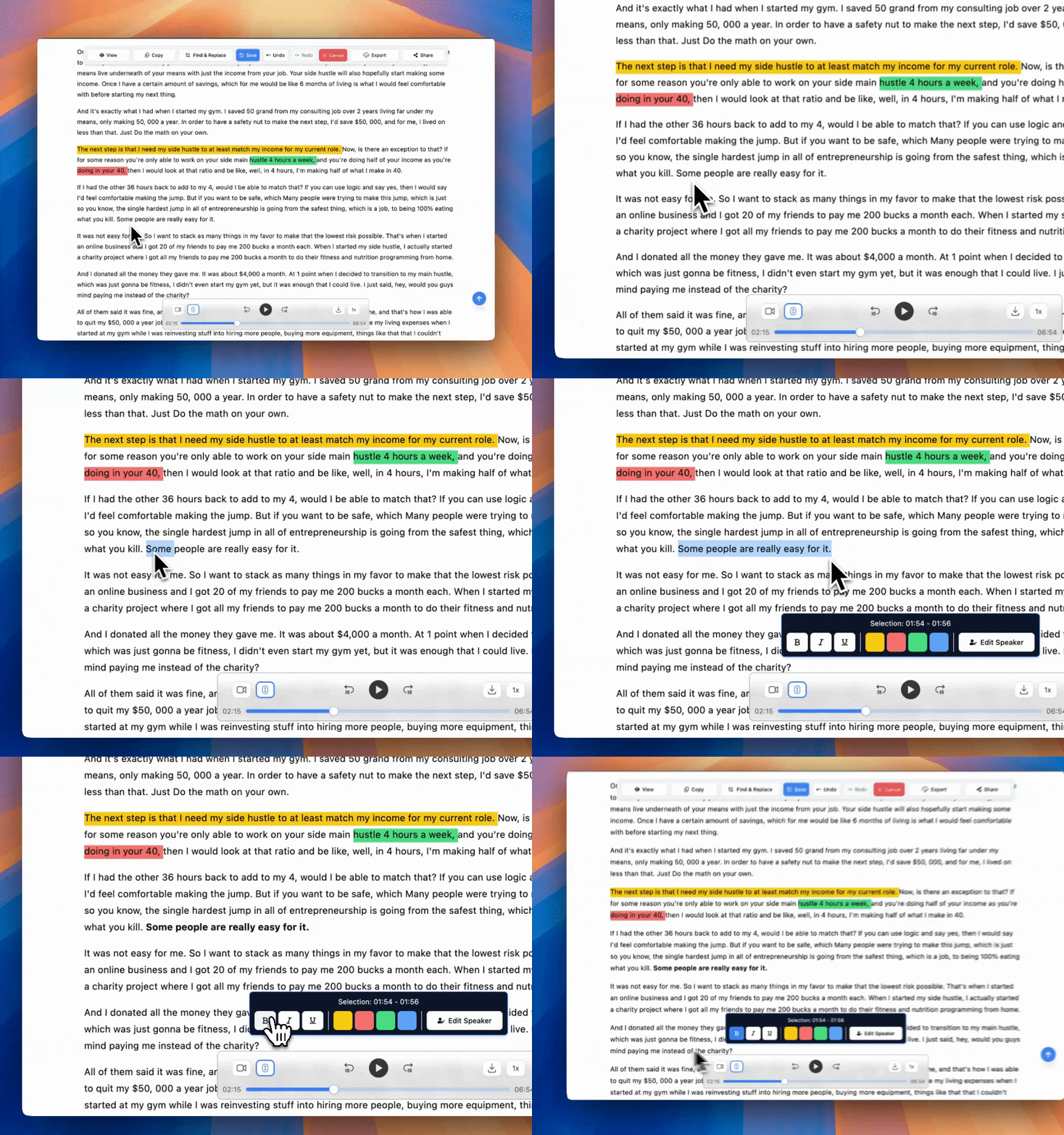
This month we've completely rebuilt our transcript editor from the ground up, plus added powerful bulk operations, Vimeo and Twilio integrations, and visual word confidence indicators to make your transcript edits faster and more efficient. Here’s everything we released this month.
Search Your Transcripts Instantly
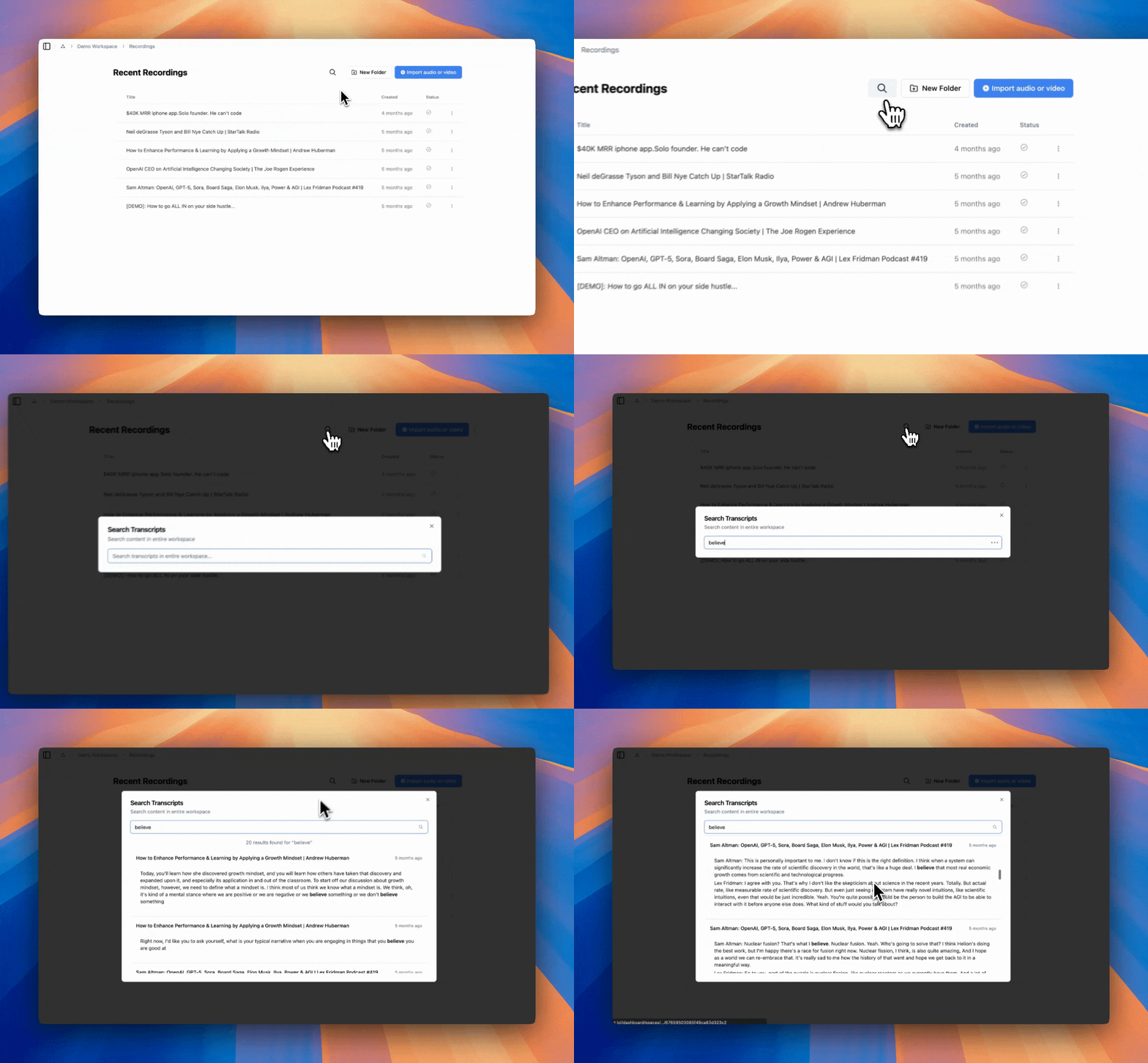
Find the transcript you are looking for faster than ever. Our new search works across the entire workspace or a specific folder. Just enter a keyword from the content of a transcript you are after and our search will find it instantly!
Highlight & Format Transcript
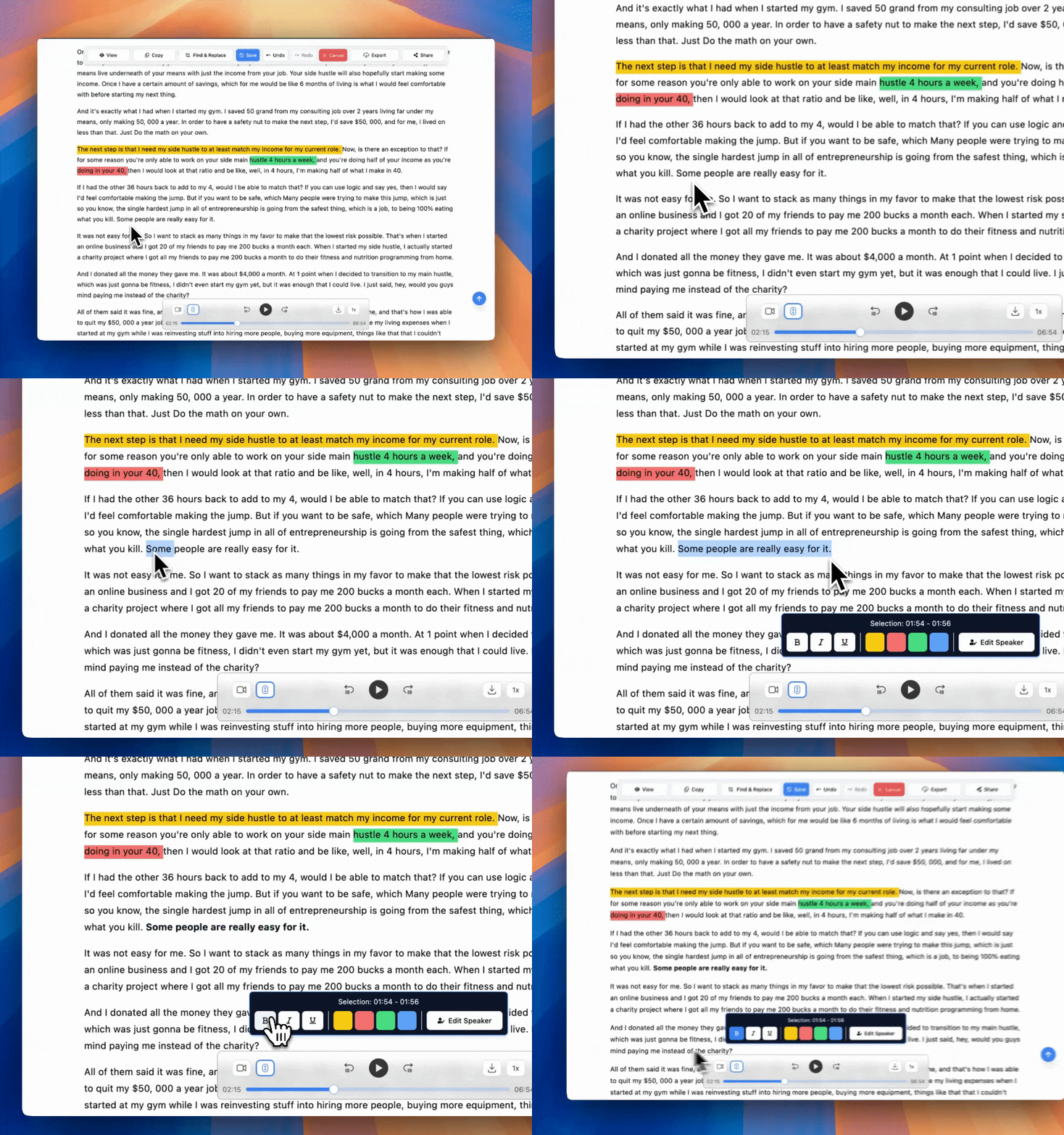
Transform your transcripts into polished documents with our new formatting tools. Highlight important sections in four different colors, add bold and italic emphasis, and underline key points. Your transcripts now look as professional as they sound, ready for reports, presentations, or sharing with clients.
Word Confidence Viewer — Faster Edits
AI is not perfect. We made it easier for you to spot words our AI is less confident about.
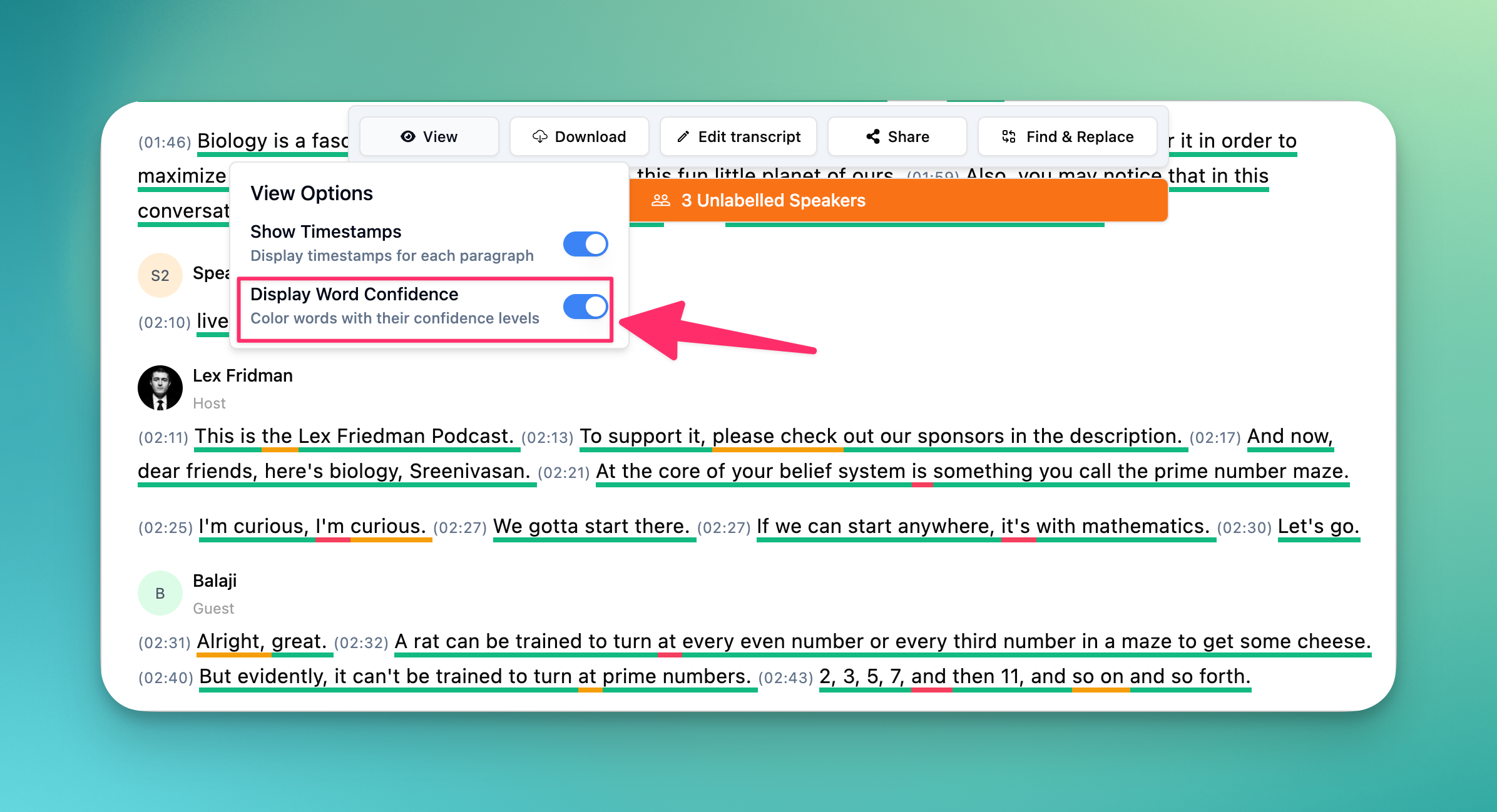
Spot transcription uncertainties at a glance with our new confidence indicator system. Words are color-coded in three levels – green for high confidence, yellow for medium, and red for low confidence. This visual guide helps you quickly identify which parts need a second look, making your editing process 3x faster.
Bulk Selection & Exports

Select multiple recordings at once to move, delete, or export them together. Whether you're organizing hundreds of files into folders or preparing bulk exports for your team, these new bulk operations turn tedious one-by-one tasks into single-click actions.
Vimeo & Twilio Integrations
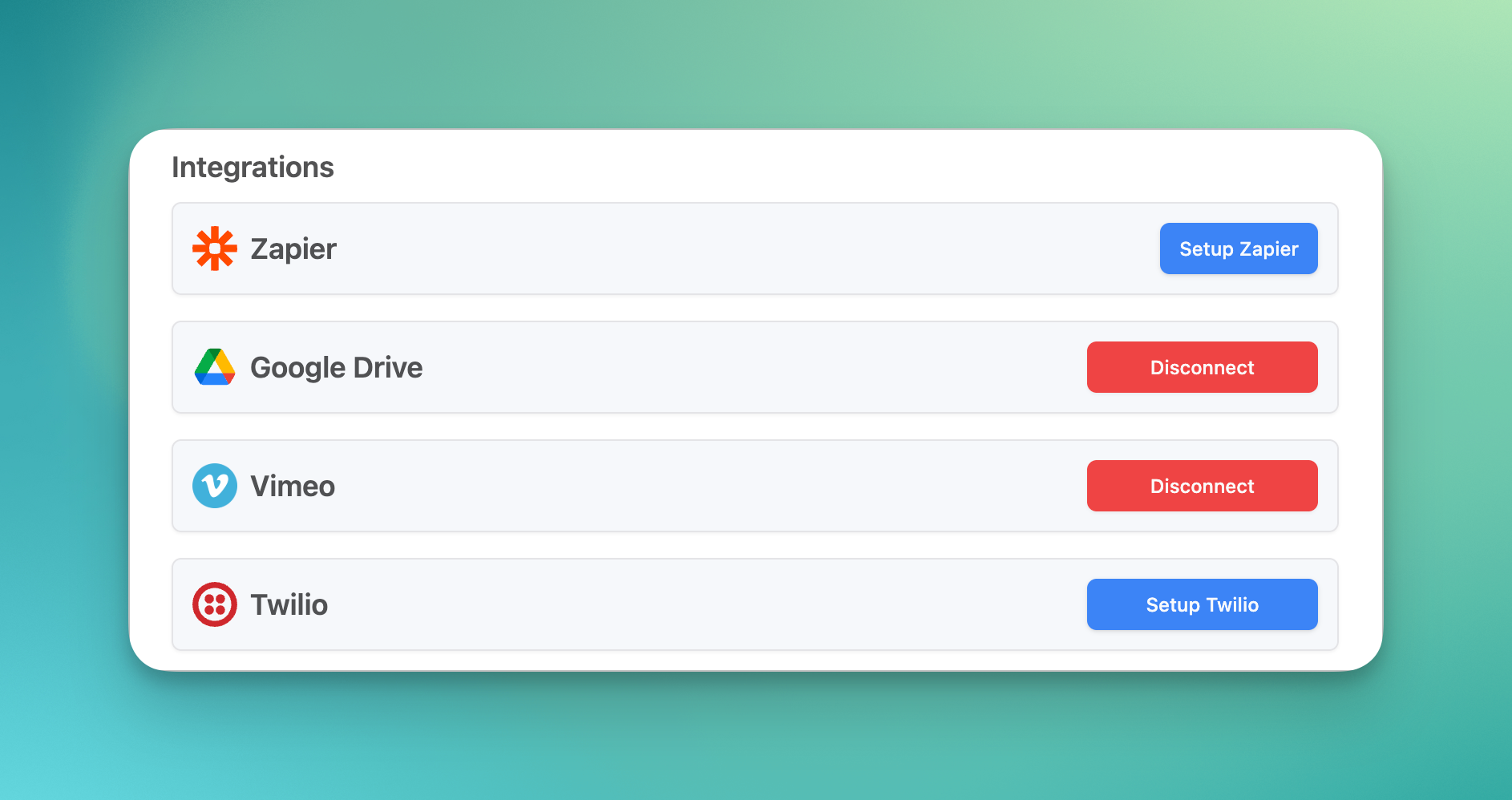
You can now connect your Vimeo or Twilio accounts with Transcript LOL to improve the reliability of importing content from these platforms. Our Vimeo Integration also allow you to import private files — in addition to the public only links we already support.
Much more…
There are so many other smaller features and improvements we made across the board. You can find the full list of changes below:
Features
Added copy transcript button
Added option to renew subscription from billing page
Added support for Thai language
Added Twilio integration
Added view options for transcript viewing and editing
Added vimeo integration
Adding paging support for recording list
Allow email change for subscription users
API endpoint to generate insights
Bookmarkable link to each page and folder in recording list
Bulk export feature added
Bulk selection support for move folder and delete operations
Cycle through other paragraphs from the speaker in speaker assignment dialog
Direct link to billing portal dialog
Don't show speaker label if speaker didn't change between paragraphs
Ground up rebuild of transcript viewer & editor
List all unlabelled speakers at the top
Make vimeo integration public for all users
Move folder option for folders
Optimise media after transcription for storage space
Option to export single format file directly in transcript page
Option to remove transcript branding in doc format exports
Quicker access to import content UI and import directly to current folder
Search your transcript content feature
Select number of speakers for better speaker accuracy
Show confidence of words in 3 color coded levels
Show upto 2 insights in the transcript page
Support for autoDeletePolicy in API
Support for bold, italic and underline formatting of transcript text
Support for select all checkbox in header
Support for single format exports to directly give requested file
Support hold shift to bulk select rows
Support pagination in list recordings API
Support to highlight parts of transcript in one of 4 colors
Support to move recordings to a different space
Support to remove speaker assignment and other UX improvements to speaker assignments
Bug Fixes
Auto dismiss share link creation dialog on success
Bug fix for auto scrolling for 1st paragraph
Bug fix for dismissing notifications from dialogs and sliders
Bug fix with api key generation
Bug fix with transcript page opening with scroll to middle
Bug with showing pending team invites
Fixes for incorrect language picking in recording creation
Not showing next topup date for LTD users
Speaker info for older transcripts
UI fixes with shared link transcripts
Upgrade dialog crash in shared pages
Improvements
Auto dismiss editing notification on edit state change
Better styling and heading in pdf and word exports
Clean file naming for exports without all dashes
Don't show speaker change option for transcripts with no speaker detection on
Faster url imports with new backend for urls
First and Last name in account settings
Fix the position of selection menu always at the bottom
Full transcript on a single page
Highlight selection menu with inverted colors
Improve UI/UX of recordings and folders listing
Improve UX for team invite links that request sign in
Improve viewing for recordings with no speaker identification
Improved batch deletion UX
Improved defaults of auto-created workspace on sign up
Improvements to paragraph title styling and content
Major improvements to account email change flow
Make edit controls clearly visible and a transition animation
Open to import recordings page for empty workspaces
Option to save workspace defaults from recording options dialog
Remember latest language selection when creating recordings
Responsive layout for recording listing on all screen sizes
Reuse speakerName fn for consistent speaker naming in all components
Select no formats by default in export button to minimise clicks needed
Show longest paragraph by default for unlabelled speakers
Show speaker index in change speaker dialog
Skip versioning for non changes
Speed up sign up calls
UI improvements to assign speaker paragraph
Use speaker labels in paragraph creation to merge speaker indexes mapping to same speakers
Visual cues for auto-generating prompts and insights